 Vize
use-favicon
Bind the page favicon to reactive state.
| Package | @vizejs/composable/use-favicon |
| Own the source | vize lib pull composable:use-favicon |
| Runtime exports | useFavicon |
| Gzip budget | 1792 B |
Minimal setup
Use a Vue 3.5+ project with Vue SFC compilation configured (see Vite+ integration).
vp install @vizejs/composable
Import the entry directly. Call lifecycle-bound utilities inside <script setup> so cleanup follows the component scope; consult the runtime contract for this entry's SSR and hydration behavior.
import { useFavicon } from "@vizejs/composable/use-favicon";
Try it
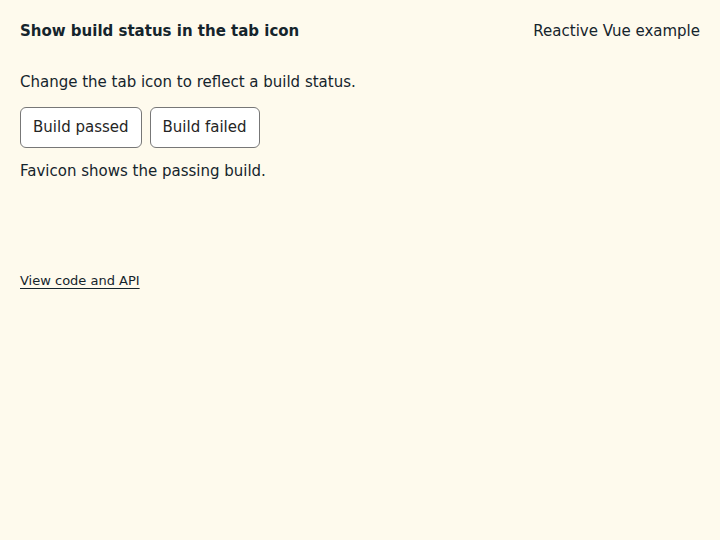
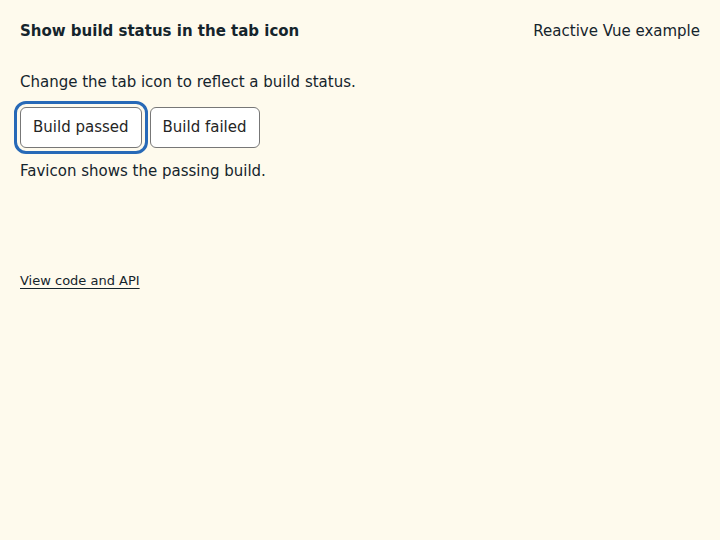
Show build status in the tab icon
Swap the favicon to reflect state that the reader should notice from another tab.
What to observe: Build failed switches the tab icon to a red dot; Build passed switches it back to green.
Any URL works, including data URLs. The existing <link rel="icon"> is updated or created.
Compare the initial and interacted states
Copy the example
Save this complete SFC in your Vue project. Its public imports and source are the same ones executed in the preview.
<script setup lang="ts">
import { computed, ref } from "vue";
import { useFavicon } from "@vizejs/composable/use-favicon";

const status = ref<"passing" | "failing">("passing");
const dot = (color: string) =>
  `data:image/svg+xml,${encodeURIComponent(`<svg xmlns="http://www.w3.org/2000/svg" viewBox="0 0 16 16"><circle cx="8" cy="8" r="7" fill="${color}"/></svg>`)}`;
useFavicon(computed(() => dot(status.value === "passing" ? "#16a34a" : "#dc2626")));
</script>

<template>
  <div class="composable-example">
    <p>Change the tab icon to reflect a build status.</p>
    <div class="example-actions">
      <button type="button" @click="() => (status = 'passing')">Build passed</button>
      <button type="button" @click="() => (status = 'failing')">Build failed</button>
    </div>
    <output aria-live="polite">Favicon shows the {{ status }} build.</output>
  </div>
</template>
Runtime contract
| Utility | Category | Stability | SSR | Hydration | Cleanup | Targets | Host globals | Uses |
|---|---|---|---|---|---|---|---|---|
useFavicon |
dom | experimental | deterministic-fallback | caller-managed | reactive-scope | web, desktop | window |
useMounted |
API
useFavicon
Bind the page favicon to reactive state. Every <link> whose rel contains rel (icon, shortcut icon, apple-touch-icon, …) gets baseUrl + icon as its href; when none exists, one <link rel="icon"> is created. Accepts a writable ref (used as-is), a getter (followed), a plain string, or nothing (an owned ref). Server rendering: this is a client-only side effect. The document is never touched on the server, and icon keeps its given value; emit the initial <link rel="icon"> through the application's head manager. Watchers are released with the owning reactive scope; the last icon stays.
function useFavicon( icon?: MaybeRefOrGetter<string | null | undefined>, options: UseFaviconOptions = {}, ): FaviconControls
const { icon } = useFavicon(() => (unread.value ? "/unread.svg" : "/icon.svg"));
Types
FaviconLink
<link> subset updated by useFavicon.
| Member | Type | Description |
|---|---|---|
rel |
string |
Link relation. |
href |
string |
Icon URL. |
FaviconHost
Document capability used by useFavicon.
| Member | Type | Description |
|---|---|---|
findIcons |
(rel: string) => Iterable<FaviconLink> |
Find every <link> whose rel contains rel. |
createIcon |
(rel: string) => FaviconLink |
Create (and attach to <head>) a new <link rel={rel}>. |
UseFaviconOptions
Options for useFavicon.
| Member | Type | Description |
|---|---|---|
baseUrl? |
string |
Prefix prepended to every icon value. |
rel? |
string |
Link relation matched (substring) and used for created links. |
host? |
MaybeRefOrGetter<FaviconHost | null | undefined> |
Document capability for alternate runtimes and tests. |
FaviconControls
Reactive state returned by useFavicon.
| Member | Type | Description |
|---|---|---|
icon |
Ref<string | null | undefined> |
Icon URL (before baseUrl). Writable; null/undefined leaves the current icons untouched. When a getter was passed, the next getter change overwrites manual assignments. |
supported |
ComputedRef<boolean> |
Whether a document capability is attached. Inside a component it stays false until mounted, so hydration matches the server render. |