 Vize
use-stack
Create a typed reactive LIFO stack.
| Package | @vizejs/composable/use-stack |
| Own the source | vize lib pull composable:use-stack |
| Runtime exports | useStack |
| Gzip budget | 1536 B |
Minimal setup
Use a Vue 3.5+ project with Vue SFC compilation configured (see Vite+ integration).
vp install @vizejs/composable
Import the entry directly. Call lifecycle-bound utilities inside <script setup> so cleanup follows the component scope; consult the runtime contract for this entry's SSR and hydration behavior.
import { useStack } from "@vizejs/composable/use-stack";
Try it
Keep a back stack
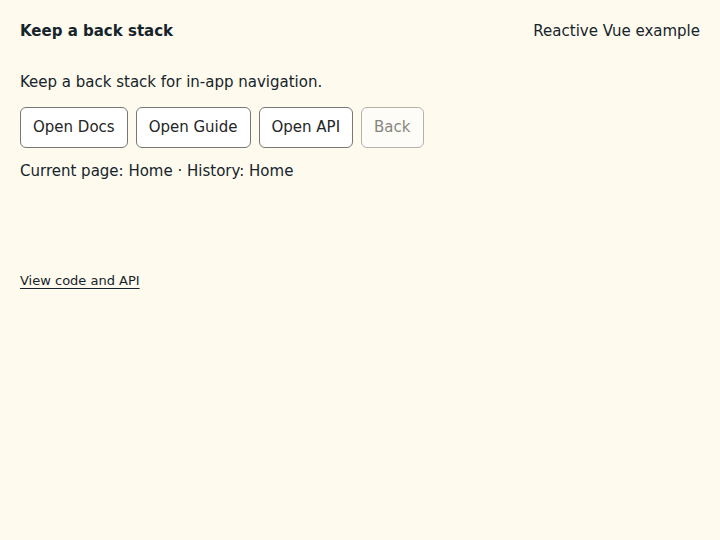
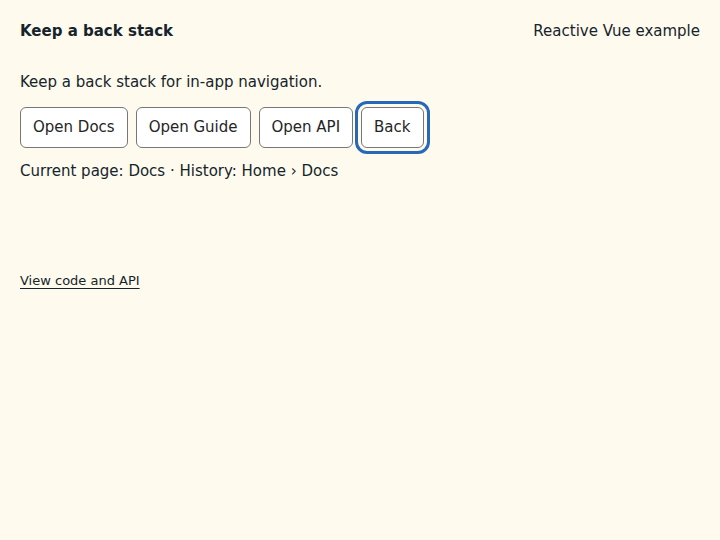
Push pages as the reader navigates and pop them with a Back button.
What to observe: Open Docs and Guide, then Back returns to Docs. Back is disabled when only Home remains.
items is ordered bottom to top, so the current page is the last item. pop() returns the removed page.
Compare the initial and interacted states
Copy the example
Save this complete SFC in your Vue project. Its public imports and source are the same ones executed in the preview.
<script setup lang="ts">
import { computed } from "vue";
import { useStack } from "@vizejs/composable/use-stack";

const { items, size, push, pop } = useStack<string>(["Home"]);
const current = computed(() => items.value.at(-1) ?? "Home");
const pages = ["Docs", "Guide", "API"];
</script>

<template>
  <div class="composable-example">
    <p>Keep a back stack for in-app navigation.</p>
    <nav aria-label="Pages" class="example-actions">
      <button v-for="page in pages" :key="page" type="button" @click="() => push(page)">
        Open {{ page }}
      </button>
      <button type="button" :disabled="size <= 1" @click="() => pop()">Back</button>
    </nav>
    <output aria-live="polite"
      >Current page: {{ current }} · History: {{ items.join(" › ") }}</output
    >
  </div>
</template>
Runtime contract
| Utility | Category | Stability | SSR | Hydration | Cleanup | Targets | Host globals | Uses |
|---|---|---|---|---|---|---|---|---|
useStack |
state | experimental | safe | stable | none | web, server, worker, native, desktop, terminal | — | — |
API
useStack
Create a typed reactive LIFO stack. push and pop are O(1). A bounded stack either drops its bottom item or rejects new pushes when full. Reactivity is driven by a version counter, so items, size, isEmpty, and peek re-evaluate after every mutation. Purely synchronous state: safe during server rendering (no host globals, no timers) and nothing to dispose.
function useStack<Item>( initial: Iterable<Item> = [], options: UseStackOptions = {}, ): StackControls<Item>
const breadcrumbs = useStack<string>(["home"]);
breadcrumbs.push("settings");
breadcrumbs.pop(); // "settings"
Types
UseStackOptions
Options for useStack.
| Member | Type | Description |
|---|---|---|
capacity? |
number |
Maximum number of stacked items. A positive integer, or Number.POSITIVE_INFINITY for an unbounded stack. |
overflow? |
StackOverflowPolicy |
Policy applied when an item is pushed at capacity: "drop-oldest" discards the bottom item to make room, "reject" refuses the new item. |
StackControls
Reactive last-in, first-out stack returned by useStack.
| Member | Type | Description |
|---|---|---|
items |
ComputedRef<readonly Item[]> |
Snapshot of the stacked items, bottom first (the top is the last element). |
size |
ComputedRef<number> |
Number of stacked items. |
isEmpty |
ComputedRef<boolean> |
Whether the stack holds no items. |
peek |
() => Item | undefined |
Read the top without removing it. Reactive when read inside an effect. |
push |
(...items: Item[]) => number |
Push items in argument order (the last argument ends on top), applying the overflow policy. |
pop |
() => Item | undefined |
Remove and return the top. |
clear |
() => void |
Remove every item. |