 Vize
use-raf-fn
Run a callback on every animation frame, with pause/resume controls and an optional frame-rate cap.
| Package | @vizejs/composable/use-raf-fn |
| Own the source | vize lib pull composable:use-raf-fn |
| Runtime exports | useRafFn |
| Gzip budget | 1792 B |
Minimal setup
Use a Vue 3.5+ project with Vue SFC compilation configured (see Vite+ integration).
vp install @vizejs/composable
Import the entry directly. Call lifecycle-bound utilities inside <script setup> so cleanup follows the component scope; consult the runtime contract for this entry's SSR and hydration behavior.
import { useRafFn } from "@vizejs/composable/use-raf-fn";
Try it
Animate a progress bar
Run code on every animation frame with the time since the previous frame.
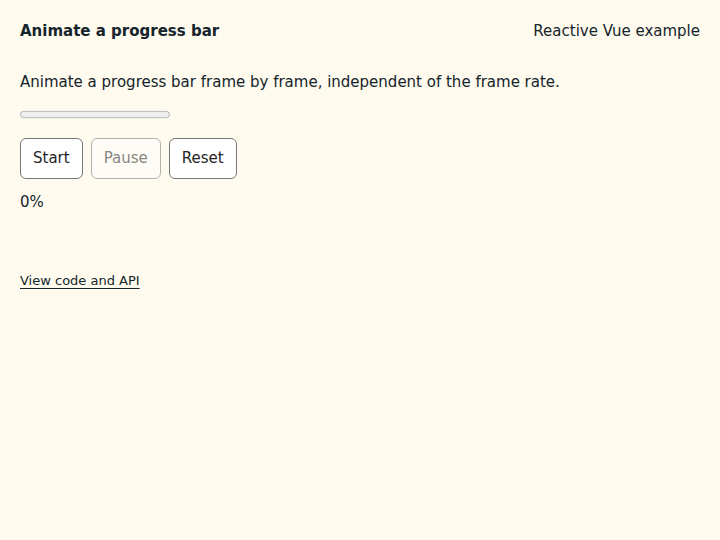
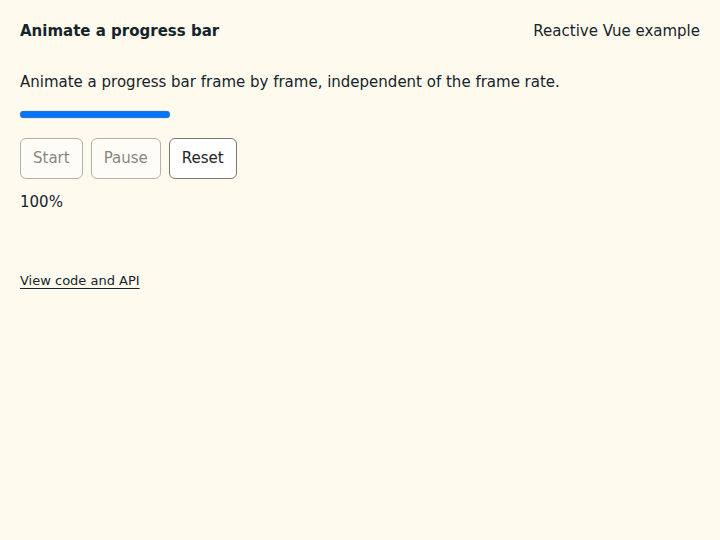
What to observe: Start fills the bar over about two seconds; Pause stops it and Reset empties it.
delta is in milliseconds, so the speed does not depend on the frame rate. Pass fpsLimit to throttle frames.
Compare the initial and interacted states
Copy the example
Save this complete SFC in your Vue project. Its public imports and source are the same ones executed in the preview.
<script setup lang="ts">
import { ref } from "vue";
import { useRafFn } from "@vizejs/composable/use-raf-fn";

const progress = ref(0);
const { isActive, pause, resume } = useRafFn(
  ({ delta }) => {
    progress.value = Math.min(100, progress.value + delta / 20);
    if (progress.value >= 100) pause();
  },
  { immediate: false },
);
</script>

<template>
  <div class="composable-example">
    <p>Animate a progress bar frame by frame, independent of the frame rate.</p>
    <progress :value="progress" max="100" aria-label="Upload progress"></progress>
    <div class="example-actions">
      <button type="button" :disabled="isActive || progress >= 100" @click="() => resume()">
        Start
      </button>
      <button type="button" :disabled="!isActive" @click="() => pause()">Pause</button>
      <button type="button" @click="() => (progress = 0)">Reset</button>
    </div>
    <output aria-live="off">{{ Math.round(progress) }}%</output>
  </div>
</template>
Runtime contract
| Utility | Category | Stability | SSR | Hydration | Cleanup | Targets | Host globals | Uses |
|---|---|---|---|---|---|---|---|---|
useRafFn |
timing | experimental | deterministic-fallback | stable | caller, reactive-scope | web, server, worker, native, desktop, terminal | globalThis |
tryOnScopeDispose |
API
useRafFn
Run a callback on every animation frame, with pause/resume controls and an optional frame-rate cap. The host is resolved lazily on resume(), so importing and calling this during server rendering is safe: without a browser window (and without UseRafFnOptions.runOnServer), or without any frame host, isActive reports the requested state and no callbacks run, matching the client's initial render. The pending frame is cancelled when the owning reactive scope stops.
function useRafFn( callback: (frame: RafFrame) => void, options: UseRafFnOptions = {}, ): PausableControls
const { pause } = useRafFn(({ delta }) => step(delta), { fpsLimit: 30 });
Types
FrameScheduler
Animation-frame host used by useRafFn. Implement this interface to drive frames from a deterministic test clock, a native display link, or an offscreen renderer.
| Member | Type | Description |
|---|---|---|
requestAnimationFrame |
(callback: (timestamp: number) => void) => unknown |
Requests one frame callback and returns its opaque cancellation handle. |
cancelAnimationFrame |
(handle: unknown) => void |
Cancels a handle previously returned by FrameScheduler.requestAnimationFrame. |
RafFrame
Timing information passed to every useRafFn callback.
| Member | Type | Description |
|---|---|---|
delta |
number |
Milliseconds since the previous delivered frame (0 for the first). |
timestamp |
number |
High-resolution frame timestamp supplied by the host. |
UseRafFnOptions
Options for useRafFn.
| Member | Type | Description |
|---|---|---|
immediate? |
boolean |
Start the frame loop as soon as the composable is created. |
fpsLimit? |
MaybeRefOrGetter<number | undefined> |
Maximum callback rate in frames per second. Frames arriving sooner than 1000 / fpsLimit ms after the last delivered frame are skipped. undefined delivers every frame. Reactive. |
once? |
boolean |
Deliver a single frame and then pause. |
runOnServer? |
boolean |
Requests frames when no browser window is available, for example from a native or offscreen frame host passed as scheduler. |
scheduler? |
FrameScheduler |
Frame host. When omitted, globalThis.requestAnimationFrame is used if it exists; without one (server rendering, workers without frames) the loop only tracks its requested state. |